Founders’ beta · phone and Mac

Log every frame in one tap

Silverlog 2 is a film logbook built around the roll in your camera, with a Mac app for your scans and sync between them. Register for the Founders’ beta and help me finish it.

Register for the Founders’ beta

Phone and Mac, together, when everything is ready. Register and I’ll tell you when it opens.

You’ll also get the Silverlog newsletter (a welcome email now, then the occasional issue). Unsubscribe any time.

Silverlog 1 is on the App Store now. Get the current app.

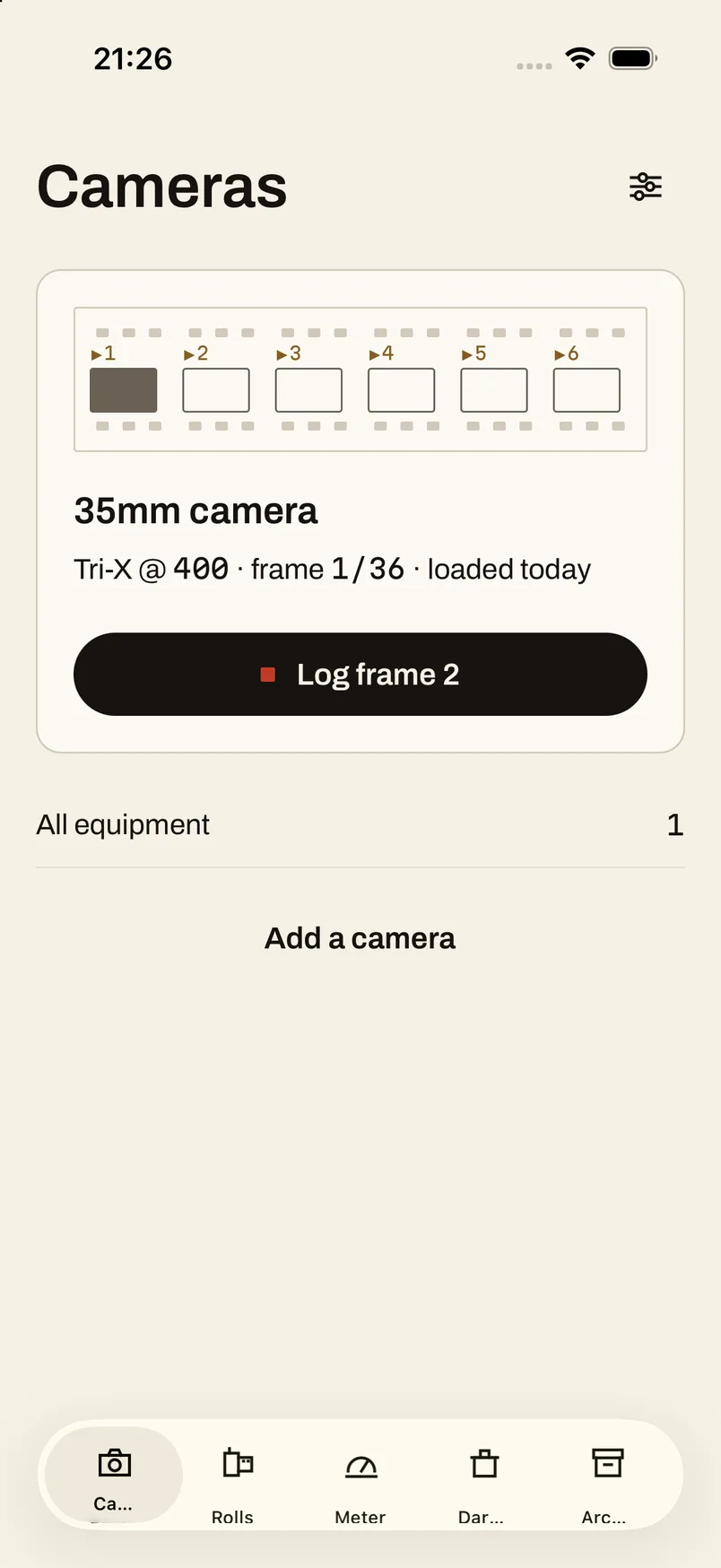
The Cameras screen in Silverlog 2: a 35mm camera loaded with Kodak Tri-X 400, frame 1 logged on its strip of film, and a button to log frame 2.

What Silverlog 2 does

Log

One tap, and the frame is logged

Your camera, film and last meter reading are already filled in. Check them, tap, and the frame is in your logbook, with the time and the place.

  • Log from the Lock Screen on iPhone, or the notification on Android, without opening the app.
  • Meter a scene and the reading fills in the next frame.
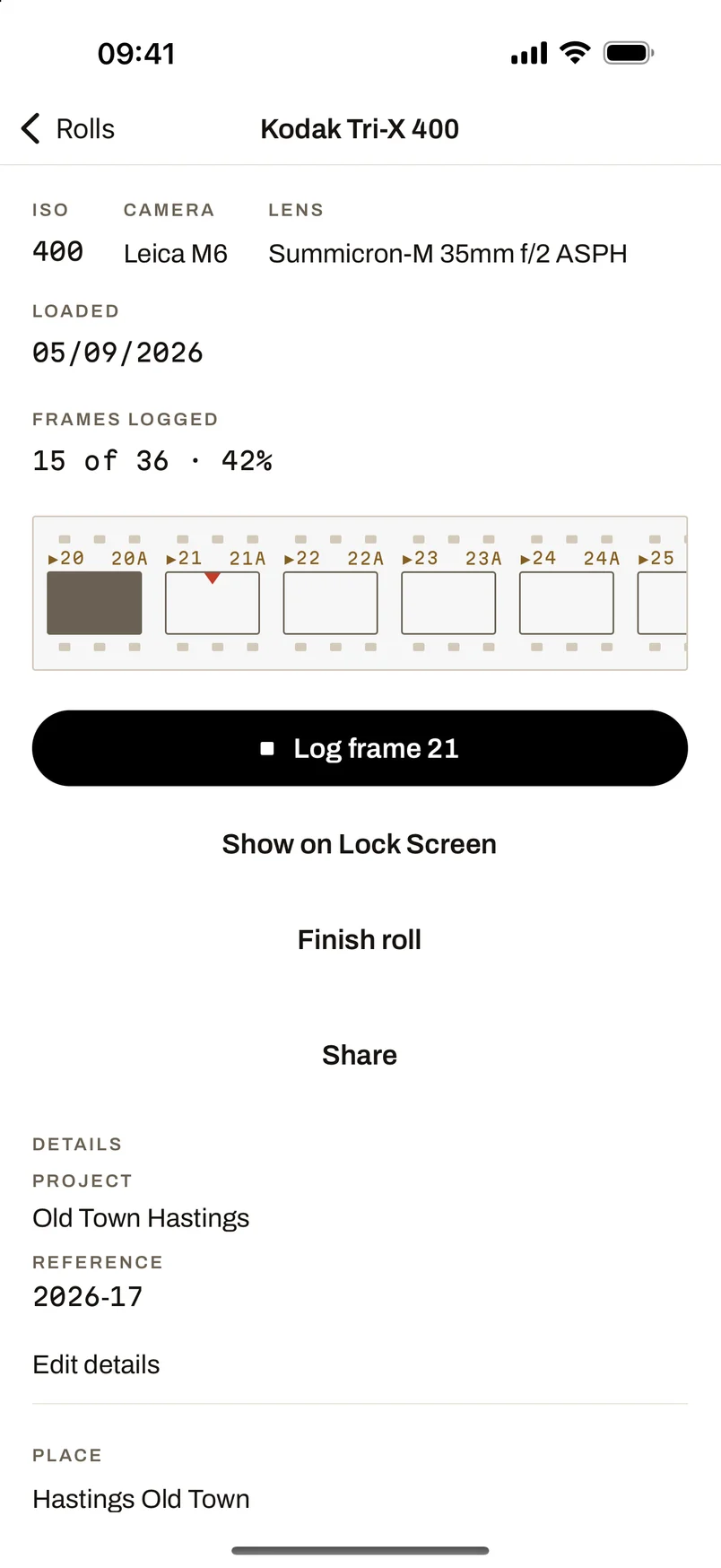
  • Every roll shows as a strip of film, so you can see where you are at a glance.
The log sheet in Silverlog 2 for frame 14 of a roll of HP5 in a Leica M6, with the aperture, shutter speed and place filled in.

Tools

The tools you reach for, in one place

A meter, a development timer and the exposure sums that usually live on a scrap of paper.

  • A meter with average, centre and spot readings, and ND, bellows, flash and pinhole built in.
  • Reciprocity for long exposures, worked out for your film.
  • A development timer that signals each step, with a red safelight mode on every screen.
  • Zone System notes on a frame: where you placed it, where it fell, and N+ or N− for the development.

Sync and backup

Your logbook, safe and on every device

Sync keeps your logbook the same on your phone, your tablet and your Mac. Backups go to a file you keep, whenever you like.

  • Sync between iPhone, iPad, Android and the Mac, with photos of your frames.
  • Back up to a file at any time, or automatically when one is due.
  • Export to CSV, so your records are never locked in.
A roll in Silverlog 2: a list of frames with their settings, places and photos.

Silverlog for Mac · in the Founders’ beta

From negative to finished photograph

Silverlog for Mac turns your scans of negatives into positives, a whole roll at a time, with the film base read from the frame edges. Then Develop gives you a darkroom’s controls for the finishing: exposure, contrast grades, dodging and burning, and a print look that behaves like paper. Your logbook comes with it, so every frame keeps its camera, film and settings.

How it works

A roll, from loading to the print

  1. Step 1: Load a roll

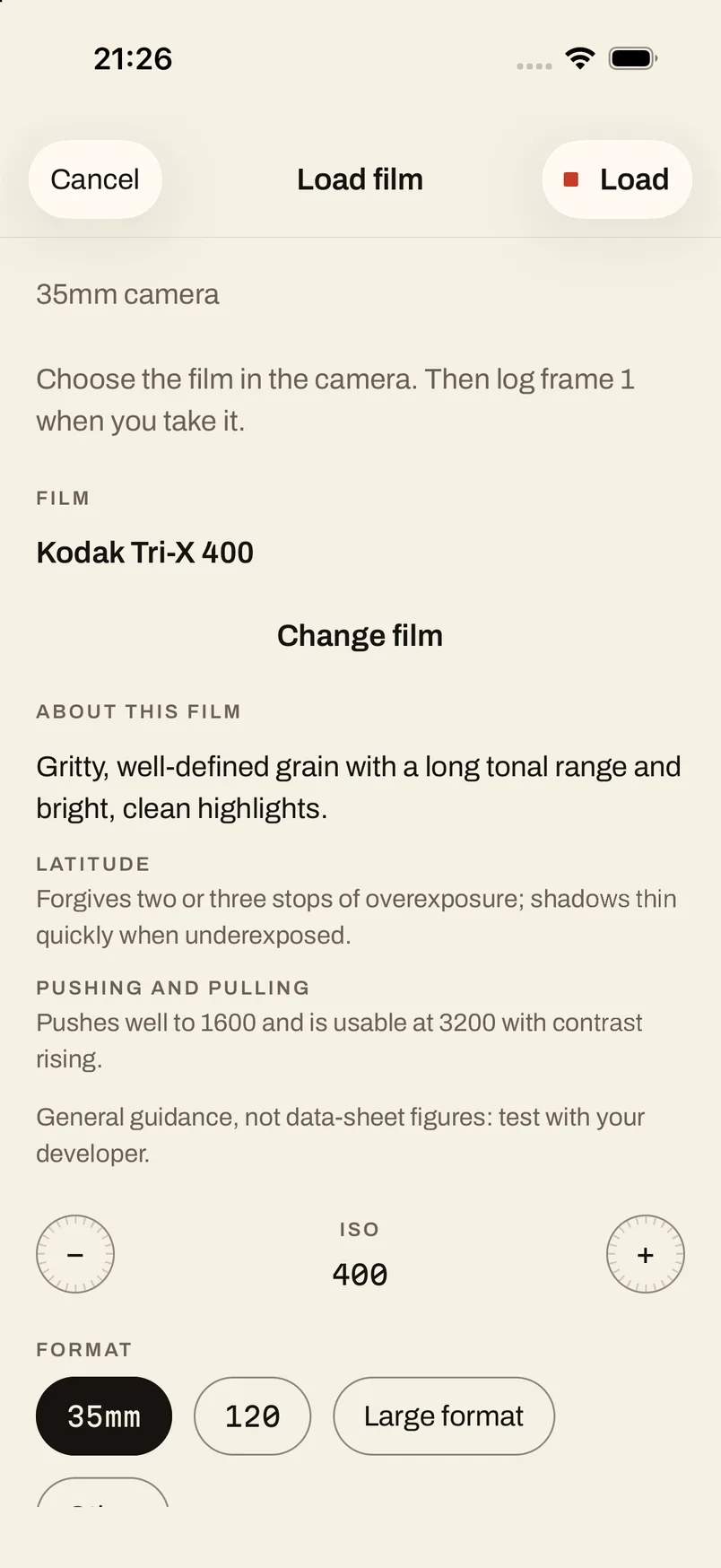
    Pick the camera and the film. Silverlog sets up the roll with its frame count and box speed, and puts it on your Lock Screen.

    Loading a roll in Silverlog 2: Kodak Tri-X 400 chosen, with notes on its latitude and on pushing and pulling, and the ISO and format below.
  2. Step 2: Log your frames

    One tap per frame as you shoot. Add a note, a place or a Zone System placement when you want them.

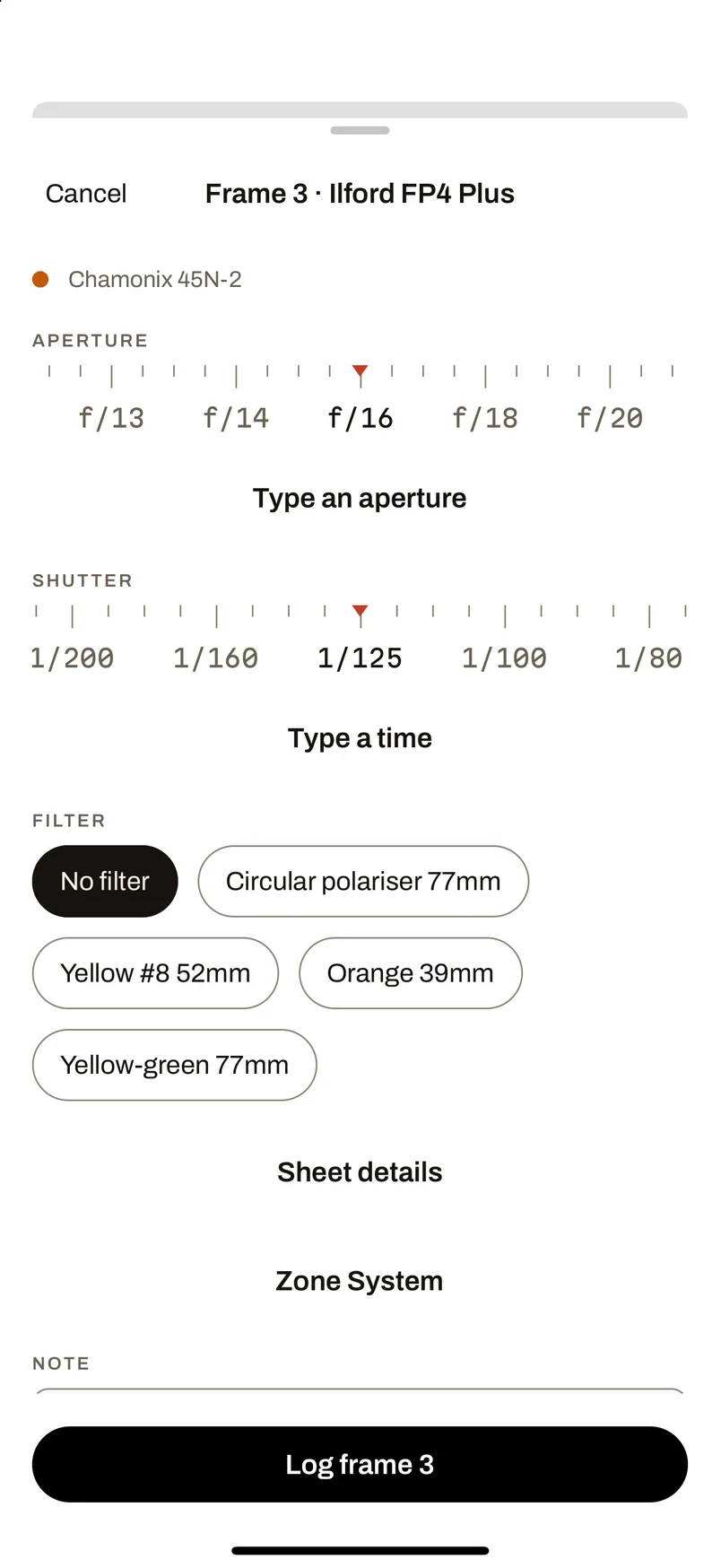
    Logging a frame in Silverlog 2.
  3. Step 3: Develop and print

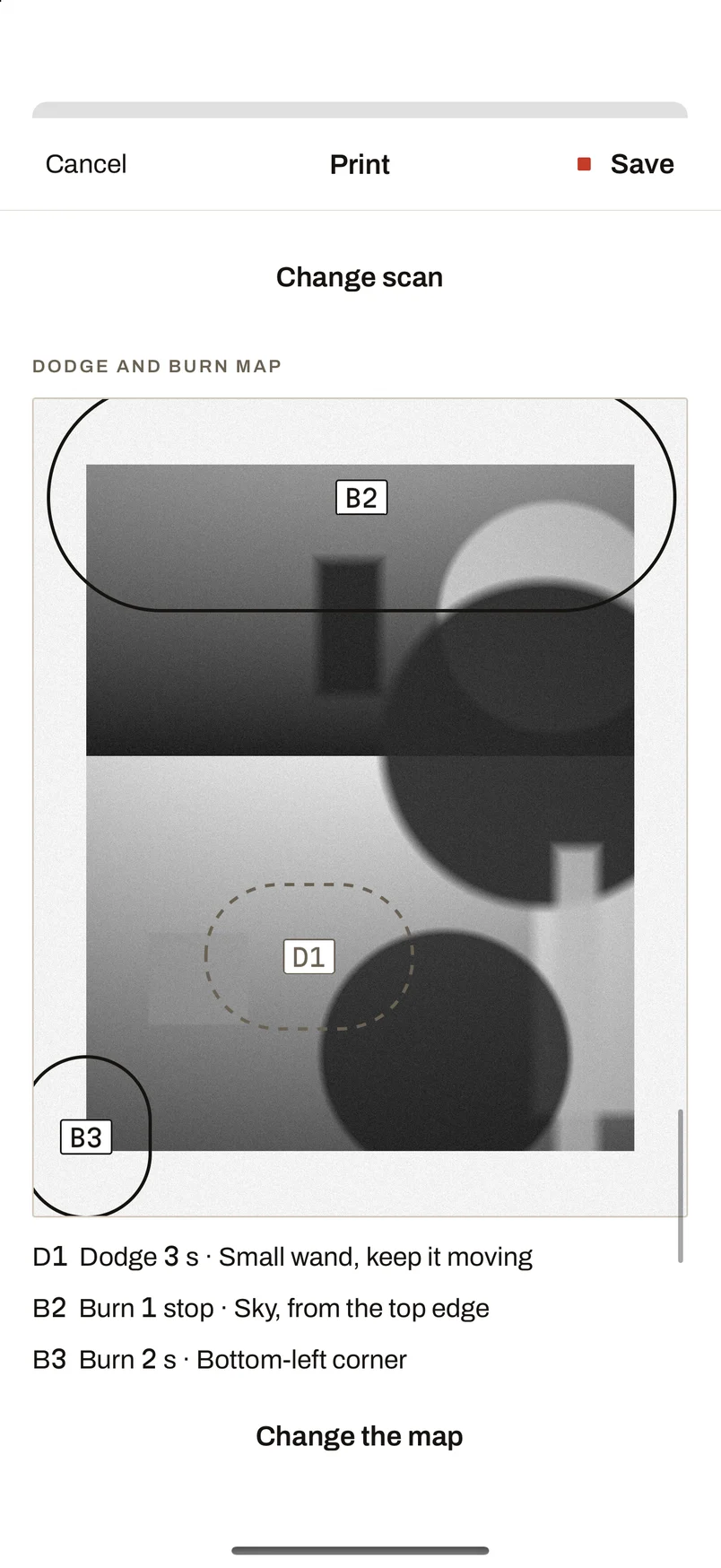
    Run the development timer, then log your prints: paper, filtration, exposure and a dodge-and-burn map you can follow next time.

    A print record in Silverlog 2 with its test strip and a dodge-and-burn map drawn over the frame.

For testers

What Founders get

  • The beta, first

    Silverlog 2 on your phone and Silverlog for Mac, with sync between them, before anyone else.

  • Pro free for a year after launch

    Sync and every Pro tool, free while you test and until a year after Silverlog 2 launches. Mac testers get the Desktop plan free until a year after launch too.

  • A Founder seat kept for you

    Every tester gets a Founder seat kept aside, outside the public 100, to use for 60 days after launch.

  • A say in what it becomes

    Tell me what’s wrong, missing or confusing. I read every reply, and the app changes because of it.

After launch

The Founder edition

Pay once and keep it for life, at a Founder price, in numbered seats. On sale for a short window after launch, or until the seats are gone; the dates are coming soon. The logbook itself is free.

  • Phone Pro, for life

    £49.99£79.99 after

    One of 100 numbered phone seats.

  • Desktop, for life

    £99£179 after

    One of 100 numbered desktop seats. Windows free when it ships.

  • Desktop + Pro, for life

    £129£219 after

    Phone Pro and Desktop together. Takes a desktop seat.

Questions

When does it open, and on what?

There’s one Founders’ beta for the whole of Silverlog: the phone app on iPhone and Android, the Mac app, and sync between them. It opens when all of it is ready, so you can try the whole journey from the first frame to the finished scan. Register and I’ll email you the day it opens. After the beta, Silverlog 2 and Silverlog for Mac launch together. The launch date is coming soon.

What does “beta” mean here?

The apps work and you can use them on real rolls, but they aren’t finished. Some things will be rough, and a few may break. On Android, Google asks testers to keep a new app installed for two weeks. Updates arrive often, and your logbook carries on into the full release.

Is my data mine?

Yes. Your logbook is on your phone first, and synced only if you turn sync on. You can back it up to a file at any time and export it to CSV. Nothing you log is sold or shared.

What will it cost?

The logbook is free in full: unlimited cameras and rolls, one-tap logging, development and print logs, the timer, the meter, backups and CSV export. Tools that plan, analyse, automate or make documents are Pro, and so is sync.

Pro is £3.99 a month, £29.99 a year with a 14-day free trial, or £79.99 for life. The Founder edition is lifetime Pro for £49.99. Testers get Pro free until a year after launch.

Desktop + Pro, phone Pro and Desktop together, is £8.99 a month, £64.99 a year or £219 for life. The Desktop + Pro Founder is £129.

There are 100 numbered phone seats and 100 desktop seats; a Desktop + Pro Founder takes a desktop seat. Founder editions are on sale for a short window after launch, or until the seats are gone; the dates are coming soon. While seats last, a Founder can upgrade to Desktop + Pro Founder for the difference: £79 from the phone Founder, £30 from the Desktop Founder.
And the Mac app?

It’s part of the same Founders’ beta, as a download from this site. It turns your scans of negatives into finished photographs and keeps them with your logbook.

Free, you can convert your negatives, adjust exposure, white balance and crop, and export full-size JPEGs. The Desktop plan adds the darkroom controls, the roll tools, TIFF export and sync. It is £5.99 a month, £49.99 a year or £179 for life, and covers Windows too.

The Desktop Founder edition is lifetime Desktop for £99, from the 100 desktop seats. A Mac Founder gets Windows free when it ships. Mac testers get the Desktop plan free until a year after launch.

Register for the Founders’ beta

Phone and Mac, together, when everything is ready. Register and I’ll tell you when it opens.

You’ll also get the Silverlog newsletter (a welcome email now, then the occasional issue). Unsubscribe any time.